Patient Payment

Managing your balance has never been easier—pay your bill securely online in just a few steps.

Woman smiling

How to Make a Payment

Please enter your account number and the amount you wish to pay online. You'll be redirected to our secure payment portal to complete your payment. Prefer to pay by phone? Call (609) 921-9437 during office hours and our billing team will assist you.

Pay My Bill Online

How to Complete Your Payment

Before you click, have your billing statement ready. On the payment page, please complete these fields so we can apply your payment correctly:

  • Ref Number — enter your account number from your billing statement.
  • Customer Name — enter the patient name exactly as it appears on the statement, even if someone else is paying.
  • Email — enter an email address to receive a payment receipt.
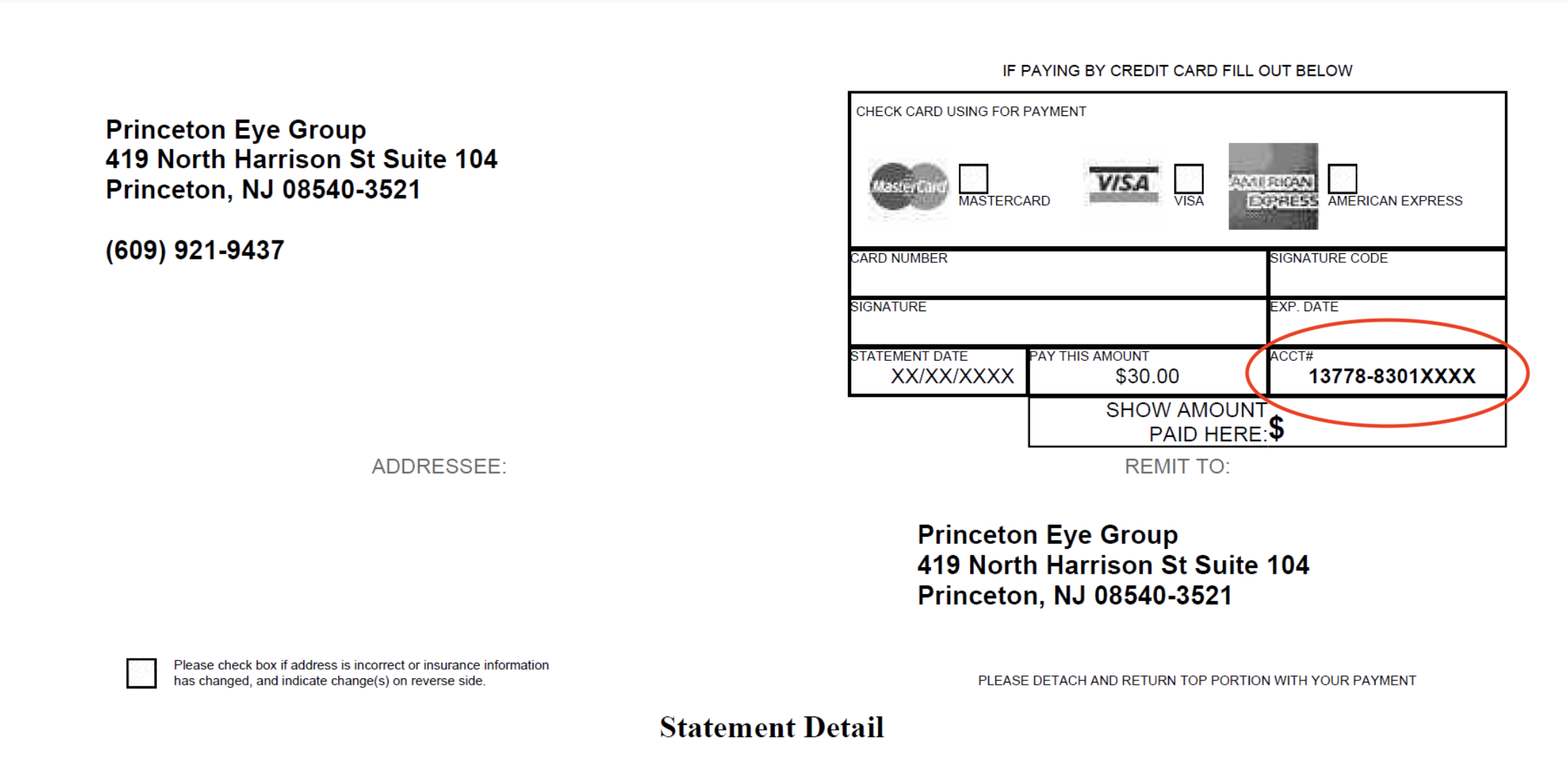
how to complete payment

Accessibility: If you are vision-impaired or have some other impairment covered by the Americans with Disabilities Act or a similar law, and you wish to discuss potential accommodations related to using this website, please contact our Accessibility Manager at (609) 921-9437.
Request an Appointment